

Table of Contents
NFC (near field communication) is a short-range wireless technology that lets two devices exchange data when they are held within a few centimeters of each other. It operates at 13.56 MHz and powers tap-to-pay cards, phone and smartwatch wallets, transit gates, digital keys, and smart tags.
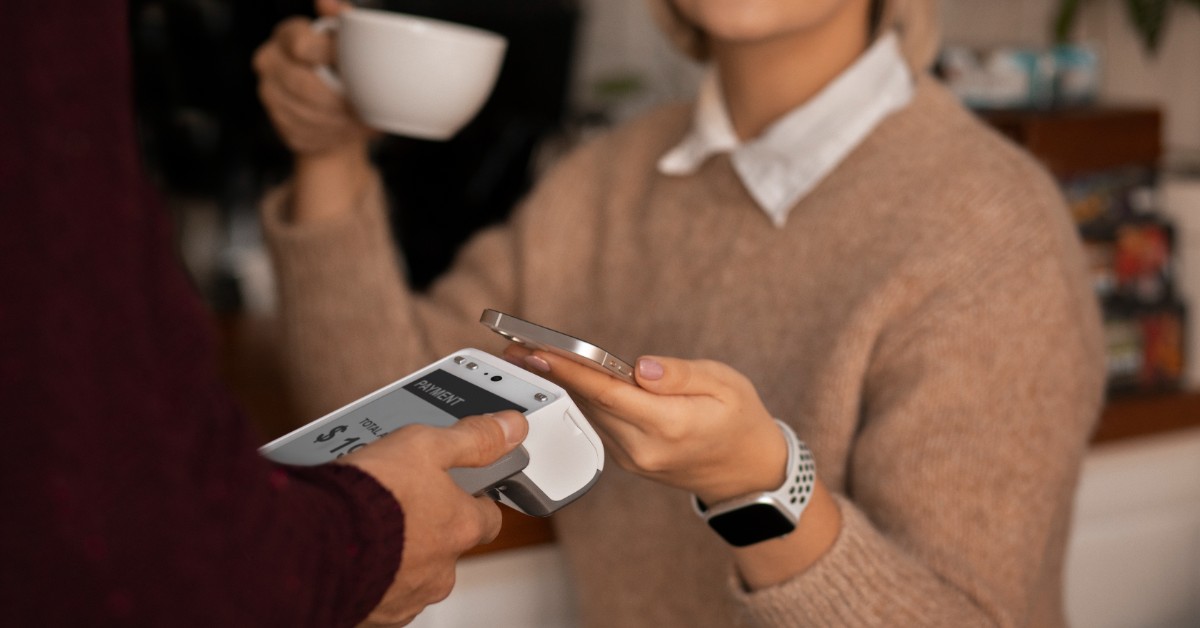
If you have paid for coffee by tapping a card or a phone, you have used NFC. It has quietly become the default way to pay in person, and the numbers show how fast that happened.
- 80%+ of Visa’s face-to-face transactions worldwide are tap to pay Visa, Q1 FY2026
- ~70% of Visa’s in-person U.S. transactions are tap to pay, up from under 1% in 2017 Visa, Q1 FY2026
- 97% of card-present transactions globally use EMV chip security EMVCo, as of Q4 2025
- 95% of eligible UK card transactions were contactless in 2024 FCA
This guide explains what NFC is, what happens in the moment after you tap, how secure it really is, and what is changing in 2026.
How NFC Works
NFC works through magnetic induction between two antennas. The reader, such as a payment terminal, generates a radio field at 13.56 MHz, a frequency in the globally unlicensed ISM band. When a card or phone enters that field, the two antennas couple and data flows between them.
A contactless card has no battery. It draws all the power it needs from the reader’s field, which is why a plastic card can run a secure chip for years.
Range and speed
- Range: In practice, about 4 cm or less. The theoretical maximum is around 10 to 20 cm, but payment systems are designed for a deliberate close tap.
- Certified range: NFC Forum’s Release 15 (June 2025) raised the certified operating range from 0.5 cm to 2 cm, making taps more forgiving.
- Data rates: 106, 212, or 424 kbps. That is slow next to Wi-Fi, but a payment message is tiny.
- Setup time: Under 0.1 seconds. There is no pairing step, unlike Bluetooth.
The three modes of NFC
- Reader/writer mode: Your phone reads or writes a passive tag, such as a smart poster, a product label, or a museum exhibit tag.
- Peer-to-peer mode: Two active devices exchange data directly, for example to share a contact or start a pairing.
- Card emulation mode: Your phone or watch behaves like a contactless card. This is the mode behind Apple Pay, Google Wallet, and Samsung Wallet.
The standards behind it
NFC builds on established smart card standards. Payment cards use ISO/IEC 14443 (Types A and B). ISO/IEC 18092 defines device-to-device communication, and Sony’s FeliCa standard dominates transit and payments in Japan. The NFC Forum, founded in 2004 by Nokia, Philips, and Sony, harmonizes these into one certification program so devices work together worldwide.
A short history of NFC
- 2002 Philips and Sony begin developing the NFC specification.
- 2003 NFC is approved as an ISO/IEC standard.
- 2004 Nokia, Philips, and Sony found the NFC Forum.
- 2010 The Nokia C7 ships as the first NFC-capable smartphone.
- 2011 Google Wallet launches mobile tap-to-pay on Android.
- 2014 Apple Pay launches with the iPhone 6.
- 2025 NFC Release 15 extends the certified range to 2 cm.
- 2026 The NFC Forum publishes a new technology roadmap.
How Tap-to-Pay Works, Step by Step
A contactless payment runs the same secure EMV chip transaction as inserting your card, just over radio instead of metal contacts. Here is what happens, usually in about a second.
- The field wakes the chip The terminal’s antenna creates its 13.56 MHz field. Your card, phone, or watch enters it, and the chip powers up or the wallet activates.
- The devices agree on an app The terminal asks which payment applications are available (Visa, Mastercard, and so on) and selects one.
- A credential is shared A physical card sends its card data. A phone or watch sends a device token, a stand-in number tied to that device, never your real card number.
- A one-time cryptogram is created The chip generates a unique code for this transaction only. If anyone captured it, they could not reuse it for another purchase.
- Your bank authorizes The request travels through the merchant’s acquirer and the card network to your bank, which checks the cryptogram, the account, and fraud signals.
- You get the result The terminal beeps or shows a check mark, and the receipt follows.
Card tap vs. phone tap: what is different?
Both use NFC and EMV cryptograms, but a phone or watch adds two extra layers of protection.
| Feature | Contactless card | Phone or watch wallet |
|---|---|---|
| What is sent | Card data plus a one-time cryptogram | A device token plus a one-time cryptogram |
| Real card number shared? | Card data is shared, protected by the cryptogram | Never; the token is useless elsewhere |
| Who confirms it is you | No one for small amounts; a PIN above the limit | Face ID, fingerprint, or passcode every time |
| Spending cap | Local contactless limit applies | Usually no contactless limit |
If you are new to phone wallets, our guide on how to set up Apple Pay walks you through adding your first card.
Secure Element vs. Host Card Emulation
Phones store payment credentials in one of two ways:
- Secure Element (SE): A dedicated, tamper-resistant chip holds the credentials. Apple Pay uses this approach.
- Host Card Emulation (HCE): Software emulates the card, with credentials protected by tokenization and short-lived keys rather than a dedicated chip. Many Android banking wallets use HCE, and since 2024 Apple has allowed HCE-based wallets on iPhones in the European Economic Area.
Both approaches are certified by the card networks. The difference matters mainly to banks and developers, not to the person tapping.
NFC vs. RFID vs. Bluetooth vs. QR Codes
NFC is a specialized branch of RFID, tuned for short, deliberate, two-way exchanges. That short range is a feature: it makes the user’s intent clear and keeps the connection private.
| Technology | Typical range | Frequency | Power for the tag or card | Setup | Best for |
|---|---|---|---|---|---|
| NFC | About 4 cm (certified up to 2 cm) | 13.56 MHz | None needed | Under 0.1 s, no pairing | Payments, transit, keys, ID |
| RFID (general) | Centimeters to many meters | Low, high, and ultra-high bands | Usually none (passive tags) | Instant, one-way reads | Inventory, logistics, toll tags |
| Bluetooth / BLE | Tens of meters | 2.4 GHz | Battery required | Pairing or discovery | Audio, wearables, data sync |
| QR code | Line of sight | None (camera) | None | Scan and open an app | Low-cost payments, links, menus |
QR codes deserve a note. In markets such as India, QR-based UPI payments are everywhere because a printed code costs almost nothing. NFC is faster and works without the phone opening a camera, which is why India is now adding NFC tap options to UPI as well. Curious about the camera side? Here is how to scan QR codes on your iPhone or Android phone.
Is Contactless Payment Safe?
Yes. Contactless payments are among the most secure ways to pay in person, and generally safer than swiping a magnetic stripe. The real risks in 2026 come from scams that trick people, not from the radio link itself.
What protects every tap
- Dynamic cryptograms: Each transaction carries a one-time code, so copied data cannot be replayed. EMVCo, the body behind chip card standards, reports that 97% of card-present transactions worldwide now use EMV chip technology.
- Tokens: Phone and watch wallets never transmit your real card number.
- Short range: A reader must be within a few centimeters, and only one card is processed per transaction.
- Biometrics and limits: Wallets require your face, fingerprint, or passcode. Cards are capped by local contactless limits, after which a PIN is required.
- Zero-liability protections: Card networks and regulators generally require banks to refund unauthorized transactions that you report promptly.
Skimming: mostly a myth
The image of a thief brushing past you with a reader to empty your wallet makes for viral videos, but it is rarely practical. The attacker needs to be within a few centimeters, and the data they could read lacks a usable cryptogram for a new purchase. RFID-blocking sleeves are harmless, but most people do not need them.
Ghost tap and NFC relay fraud: the real 2026 threat
The fraud that is actually growing is called NFC relay fraud, or “ghost tap.” Instead of reading your card from a distance, criminals relay a live card session across the internet to an accomplice standing at a real terminal or ATM. It usually starts with a scammer calling or messaging while posing as your bank or another trusted institution, then talking you into installing an “official” app that is actually malware.
- Your phoneYou tap your card The caller asks you to tap your bank card on your own phone “to verify it.”
- Your phoneMalware reads it The fake app talks to your card exactly like a payment terminal.
- InternetThe session is relayed Your live card data is sent to the criminal’s server in real time.
- CriminalA mule poses as your card An accomplice’s phone replays your card session.
- Store / ATMMoney is taken A real terminal approves a purchase or cash withdrawal.
The scale is rising fast. Kaspersky recorded a 188% increase in NFC attacks on Android devices in the first four months of 2026 compared with a year earlier, and in August 2026 Group-IB documented a new relay malware family, WindRelay, used in exactly this kind of live-call scam. The European Payments Council also lists NFC relay among its fastest-rising fraud categories.
Never tap your bank card against your own phone because someone asked you to. No genuine bank, carrier, or government agency will ever request this.
How to protect yourself
- Install banking apps only from the official Google Play Store or Apple App Store, never from a link in a message.
- Hang up on unexpected “bank” calls and call back using the number on your card. Learn how to spot these in our guide to spoof calls.
- Turn on transaction alerts so you see every payment instantly.
- Use your banking app to set a lower contactless limit, or switch contactless off, if you prefer.
- Report a lost card or a suspicious charge immediately. If your phone goes missing, follow these 9 things to do after losing your phone to lock down your wallet.
For broader protection beyond payments, see our tips to secure your smartphone and your data.
Contactless Payment Limits in 2026
Most countries cap how much you can spend with a card tap before a PIN is required. Phone and watch wallets usually skip these caps because you have already verified yourself on the device.
| Region | Card contactless limit | What changed recently |
|---|---|---|
| United Kingdom | No fixed regulatory cap since March 19, 2026 | The FCA removed the mandatory £100 limit. Banks now set their own limits, and customers can set a lower personal limit. |
| India | ₹5,000 per transaction without a PIN | RBI raised the limit from ₹2,000 in 2021. UPI Tap & Pay (September 2026) also allows PIN-less taps up to ₹5,000. |
| Elsewhere | Varies by country and bank | Limits are typically set by networks and banks, and are often adjustable in your banking app. |
Limits change often. Check your bank’s app for your current contactless limit and whether you can lower it. According to the FCA, 95% of eligible UK card transactions in 2024 were contactless, which is why regulators are now giving banks more flexibility.
How to Use NFC on Your Phone
Almost every smartphone sold in recent years includes NFC, and setup takes a few minutes. If you are shopping for a new device, every model in our latest smartphones lineup supports tap-to-pay.
On Android
- Open Settings and search for “NFC.” On many phones it is under Connected devices > Connection preferences > NFC.
- Turn NFC on.
- Add a card in Google Wallet, Samsung Wallet, or your bank’s app.
- Set your preferred wallet as the default payment app in the NFC or contactless payments settings.
- Unlock your phone and hold the back of it near the terminal.
On iPhone
iPhones do not have an NFC switch; it is always ready. Add a card to Apple Wallet, then double-click the side button (or the Home button on older models), authenticate with Face ID or Touch ID, and hold the top of the iPhone near the reader. For a full walkthrough, read how to use Apple Pay.
Since iOS 18.1, Apple also lets approved banks and apps offer their own tap-to-pay wallets on iPhone in a growing list of countries, and you can choose a default contactless app in Settings.
Pay from your wrist
Smartwatches use the same NFC card emulation as phones, so you can pay without taking your phone out. Browse smartwatches with tap-to-pay from Apple, Samsung, and Google.
If a tap does not work
- Hold the device still for a second or two, centered over the contactless symbol.
- Remove thick or metal phone cases. Our phone accessories include slim cases that work well with NFC.
- Check that NFC is on (Android) and the correct default wallet is selected.
- Confirm the merchant accepts your card network.
- Tap only one card at a time. Holding a whole wallet near the reader can cause “card clash,” where the terminal cannot pick a card.
Where Else NFC Is Used
Payments are the best-known use, but NFC now sits behind many everyday taps:
- Phones as payment terminals: With Tap to Pay on iPhone and on Android, a merchant can accept cards and wallets on a regular phone with no extra hardware. Apple says the feature is available in more than 50 countries and regions, and it added eight more Latin American countries in September 2026.
- Transit: Tap a bank card or phone at the gate in cities that accept open-loop payments, or use a transit card stored in your wallet.
- Digital keys: Car keys, hotel room keys, home locks, and office badges can live in your phone or watch.
- Digital ID: Apple’s NFC and Secure Element platform added support for government IDs starting with iOS 26.4.
- Smart tags: A tag on a poster, product, or business card can open a web page, share Wi-Fi details, or trigger a phone shortcut.
- Product information: NFC tags support the EU’s Digital Product Passport requirements, giving buyers details about a product’s origin, materials, and recycling.
- Wireless charging: NFC Wireless Charging lets small battery-powered accessories charge over NFC. Learn more about the benefits of wireless charging technology.
Contactless in India: two big launches in 2026
India has long led the world in QR-based UPI payments, and NFC is now joining in:
- UPI Tap & Pay (September 10, 2026): Launched by RBI Governor Sanjay Malhotra at Global Fintech Fest, it lets you unlock an NFC phone and tap it on a card terminal to pay through UPI. Your phone does not need mobile internet, because the terminal’s connection completes the transaction. Taps up to ₹5,000 need no PIN, and RuPay credit cards on UPI are supported.
- Apple Pay (late September 2026): Apple launched Apple Pay in India, starting with eligible Axis Bank Visa and Mastercard credit cards on iPhone XR or later and Apple Watch Series 6 or later, with more banks expected.
What’s Next for NFC
NFC is more than 20 years old, but it is still evolving. On February 2, 2026, the NFC Forum, whose board includes Apple, Google, Huawei, Infineon, NXP, Sony, and STMicroelectronics, published a technology roadmap with six priorities:
- Faster data rates Up to eight times today’s standardized speed, for smoother and more responsive taps.
- Reader mode interoperability End-to-end testing so apps behave consistently across certified devices.
- Security advancements A first NFC Controllers Security Profile, quantum-resistant planning, and stronger defenses against relay attacks.
- Wireless power Next-generation NFC charging with higher power levels and support for multiple receivers.
- Multi-purpose tap One tap that completes several actions, such as paying and collecting loyalty points.
- Digital keys New key experiences for cars, homes, and workplaces.
The standards are also gaining official status. In March 2026, the International Electrotechnical Commission (IEC) adopted two NFC Forum specifications, NFC Wireless Charging and the NFC Data Exchange Format (NDEF), as global standards.
The market is opening up, too. Regulators pushed Apple to give rival wallets access to iPhone NFC in Europe in 2024, Apple extended NFC access to approved developers in many more countries through iOS 18.1 and iOS 26, and Brazil’s competition authority has been negotiating a similar arrangement for Pix proximity payments. The likely result is more wallet choice for consumers and more competition among banks and fintechs.
Frequently Asked Questions
Do I need internet to tap to pay?
A contactless card never needs internet; the terminal handles the connection. Phone wallets work with credentials already stored on the device, and India’s UPI Tap & Pay is designed to work without mobile data on the phone. Your wallet may still need a connection occasionally to refresh tokens.
Is NFC the same as RFID?
NFC is a type of RFID. The difference is purpose: RFID often reads tags from a distance in one direction, while NFC is built for very short, two-way, user-initiated exchanges such as payments.
Can someone steal my card details just by walking past me?
It is very unlikely. A reader must be within a few centimeters, and any captured data lacks a reusable one-time code. The bigger danger is being tricked into tapping your card on a phone running malware.
Does leaving NFC on drain my battery?
The effect is negligible. NFC draws very little power and is only active briefly when the phone is unlocked or a reader is nearby. If your battery is draining fast, check these hidden items that may be draining your phone battery.
How do I know if my phone has NFC?
On Android, search for “NFC” in Settings. If the option appears, your phone has it. Every iPhone from the iPhone 6 onward supports NFC payments through Apple Pay.
Is tapping safer than inserting a chip card?
Tapping a card uses the same EMV chip security as inserting it. Tapping a phone or watch is arguably safer still, because it adds tokenization and biometric verification.
Why can I pay more with my phone than with my card?
Your phone verifies you with Face ID, a fingerprint, or a passcode before paying, so it does not need the card’s PIN-free spending cap.
What does the contactless symbol mean?
The symbol of four curved lines, like a sideways Wi-Fi icon, marks a card or terminal that supports contactless payments. Tap your card or device on the terminal where that symbol appears.

is a skilled Web Developer and Designer. He builds and designs websites that focus on best UI/UX practices. Justin is also a Verizon Product Expert at Victra, helping customers with Verizon products and services. His mix of design, coding, product, and general knowledge makes him a valuable and knowledgeable team member.