


Table of Contents
I’ve been in the Verizon world long enough to remember when checking your bill meant waiting for paper statements and sitting through hold music.
Those days are gone, thank goodness. Today, My Verizon has turned what used to be a customer chore into something that actually feels empowering.
Let’s be real: people don’t wake up excited to “manage their account.” They just want things to work. That’s what My Verizon gets right: it puts every essential function in one place, minus the friction.
Whether you’re on the app or the website, it’s your personal command center for staying connected, informed, and in control.
From Setup to Daily Use: It’s Easier Than You Think
I’ve walked countless customers through account setup at retail counters, and I can tell you, it takes less time than setting up a new phone. Download the app, enter your Verizon number, verify the code, set your password, and you’re done. You’re in.
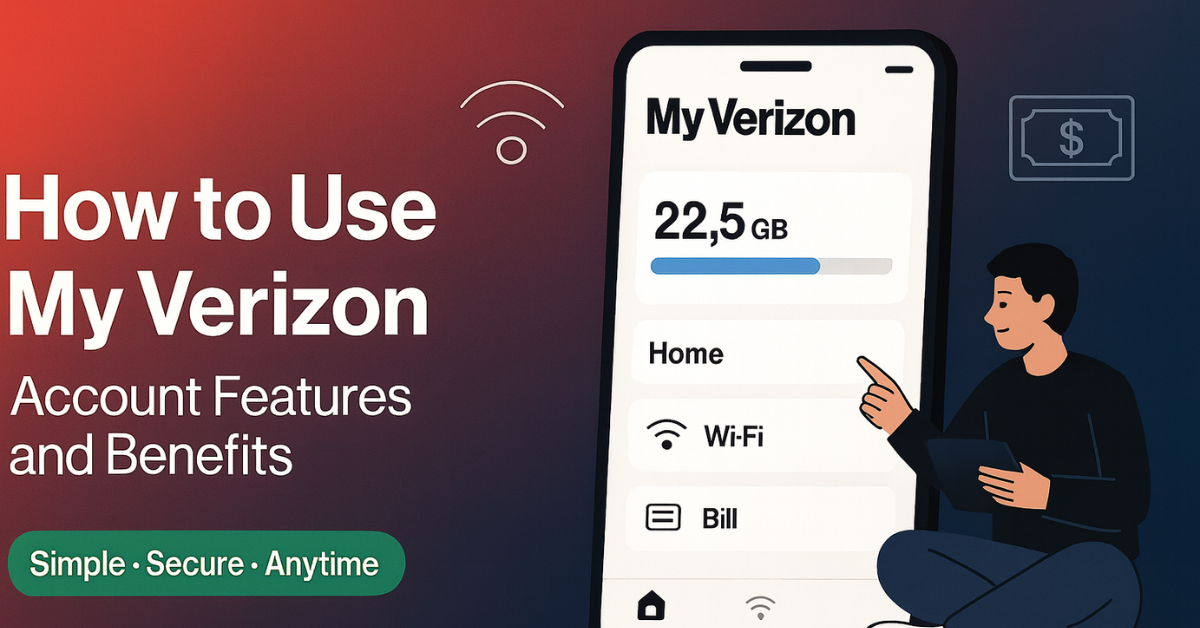
Once you log in, you realize how intentionally it’s built. The dashboard isn’t cluttered with marketing fluff: it’s a clean snapshot of everything you actually care about: data usage, billing, upgrade status, and quick shortcuts. I’ve seen plenty of customers go from “What’s this?” to “How did I live without this?” in five minutes flat.
And yes, the app and web dashboard look a little different, but they talk to each other seamlessly. The app wins on convenience — biometric login, push alerts, on-the-go payments — while the desktop version shines when you want details, like comparing devices or downloading old bills. The best approach? Use both like a pro.
Billing Doesn’t Have to Be a Headache
I’ve seen every billing scenario imaginable: forgotten due dates, accidental double payments, that surprise overage from your kid’s streaming habit. My Verizon quietly solves most of those pain points.
The “Billing” section lays out your charges clearly: what’s recurring, what’s one-time, and where your money’s actually going. If something looks off, the bill analyzer helps you spot anomalies and even suggests more fitting plans. It’s like having a personal auditor who works for you instead of the company.
AutoPay deserves special mention. Honestly, if you haven’t turned it on yet, you’re leaving money on the table. Most plans offer $5-$10 off per line just for enrolling. Plus, you’ll never have to set calendar reminders or worry about late fees again. I tell every customer: let Verizon handle the payment while you handle life.
And for those who prefer control, the one-time payment option is fast, secure, and flexible, no different from checking out online. Enter your card or account, review, and you’re done in seconds.
The Data Dashboard: Know Before You Go Over
Here’s a truth I’ve learned the hard way: no one enjoys the “you’ve hit 90% of your data” surprise. My Verizon’s real-time tracking changed that game completely.
The app’s Data Hub doesn’t just show numbers: it visualizes them. Circle graphs, color-coded bars, and even daily breakdowns make it crystal clear who’s burning through gigabytes. Green means chill, yellow means watch it, red means you’re streaming too many 4K videos on your commute.
You can even predict overages before they happen. The system uses pattern recognition (yes, actual AI) to forecast your monthly usage. I’ve had customers discover that one app, maybe TikTok or cloud backups, was the silent data killer. A few taps later, problem solved.
And for families, usage alerts are priceless. Set thresholds, choose how you’re notified (text, email, push), and even share alerts with everyone on your plan. It’s transparency without the micromanagement.
Adding, Removing, and Upgrading: Without Calling Anyone
Gone are the days when you had to visit a store to add international roaming or swap a device. My Verizon lets you adjust your services in minutes — and as someone who’s watched travelers panic at the airport, I can tell you: it’s a lifesaver.
Need an international day pass before boarding your flight? Tap “Add-Ons,” choose your plan, and you’re good before takeoff. Need extra hotspot data for a work trip? Add it instantly, no agent required.
You can even check your device upgrade eligibility without hunting for your contract. The app shows your upgrade date, trade-in value, and current promos, all side by side. I’ve seen people save hundreds just by trading in early through the app rather than waiting for a store rep to remind them.
Support That Feels Human (Even When It’s Digital)
Let’s face it: customer support can make or break your trust in a company. Verizon learned that lesson years ago. My Verizon’s live chat and callback scheduling make getting help painless. You can message a rep in seconds, or, better yet, schedule a callback so you’re not stuck waiting on hold.
The integrated help center actually works: you type a question like “Why is my bill higher this month?” and it pulls up relevant answers, videos, or even step-by-step walkthroughs. It’s built on the same AI system that powers Verizon’s network analytics, so it learns and gets smarter over time.
And for those times when only an in-person visit will do, the store locator inside the app is gold. You’ll see live wait times, available appointment slots, and which stores handle what (business accounts, repairs, etc.). You can even start your transaction online so it’s ready when you arrive.
Security and Privacy: Built Into Every Click
Working in telecom, you see firsthand how valuable data has become. Verizon doesn’t take that lightly. Every login is protected by multi-factor authentication, strong password rules, and biometric options on mobile. If your account gets accessed from a new device, you’ll know within seconds.
What most users don’t realize is how much control they actually have over their own privacy. Inside the Privacy Center, you can decide what data Verizon uses for marketing or personalization. You can opt out entirely or fine-tune it. That’s something not every carrier makes transparent.
And yes, all data is encrypted end-to-end. Verizon’s backend security measures are the same grade used by major financial institutions. It’s one of those things you don’t notice, until something goes wrong elsewhere, and you realize how good you’ve had it.
The Real Benefit: Time and Control
Here’s the truth: most of us aren’t looking for “more technology.” We just want less hassle. My Verizon gives you back time: the ability to check usage during lunch, pay a bill from a coffee shop, or add travel data while in the airport security line.
I’ve seen customers literally manage their accounts mid-conversation at a store counter. That’s how seamless it’s become.
And the financial perks aren’t minor either:
- AutoPay savings can reach $120 a year.
- Plan recommendations adjust dynamically, helping you drop unused data.
- Alerts prevent overage fees that used to catch people off guard.
Those little things add up, in money, yes, but also in peace of mind.
A Quick Digression: Remember the Early Days
I’ll never forget helping a customer back in 2012 who brought a folder of printed bills to dispute a charge. We sat there flipping pages for 20 minutes.
Fast-forward to today: she can now open the app, see 24 months of bills, and highlight exactly where things changed. That’s not just progress; it’s transformation.
Technology doesn’t always make things better, but in this case, it genuinely has. The friction is gone. The control’s in your hands. And it’s not about being tech-savvy: it’s about convenience that feels human.
So, What’s Next?
Where My Verizon heads next is the real story. I expect AI will continue to personalize the experience, predicting when you’re due for an upgrade before you even realize it, optimizing your plan automatically, maybe even flagging device issues before they happen.
But even as the tech evolves, one thing will stay the same: customers want control and clarity. That’s what this platform nails.
Final Reflection
After fifteen years in this business, I’ve seen countless platforms promise “simplicity.” My Verizon is one of the few that actually delivers. It takes something inherently complex, telecom management, and makes it human.
So, if you haven’t explored it lately, do yourself a favor. Log in, tap around, and see how much control you really have. Truth be told, it’s not just an app: it’s the quiet backbone of the modern Verizon experience.
And if you ever catch yourself wondering, “Why didn’t they make this easier sooner?”, trust me, we wondered that too. Now we finally have it right.
The My Verizon platform lets users securely manage their account – view and pay bills, check usage, upgrade devices, change plans and more.
You can register via the website or download the My Verizon app. For mobile accounts use your mobile number; for home account types follow the registration link in your confirmation email.
With My Verizon you can: view/pay your bill; track data, voice and text usage; change plans; add lines; upgrade devices; swap SIM cards; view order status; manage your profile.
Yes — after setting up a single Verizon ID you can access both mobile and home accounts (if eligible) via My Verizon using one sign-in.
You can reset your password from the login page. If your account is locked due to failed sign-in attempts, you’ll also find options for recovery through My Verizon.