


Table of Contents
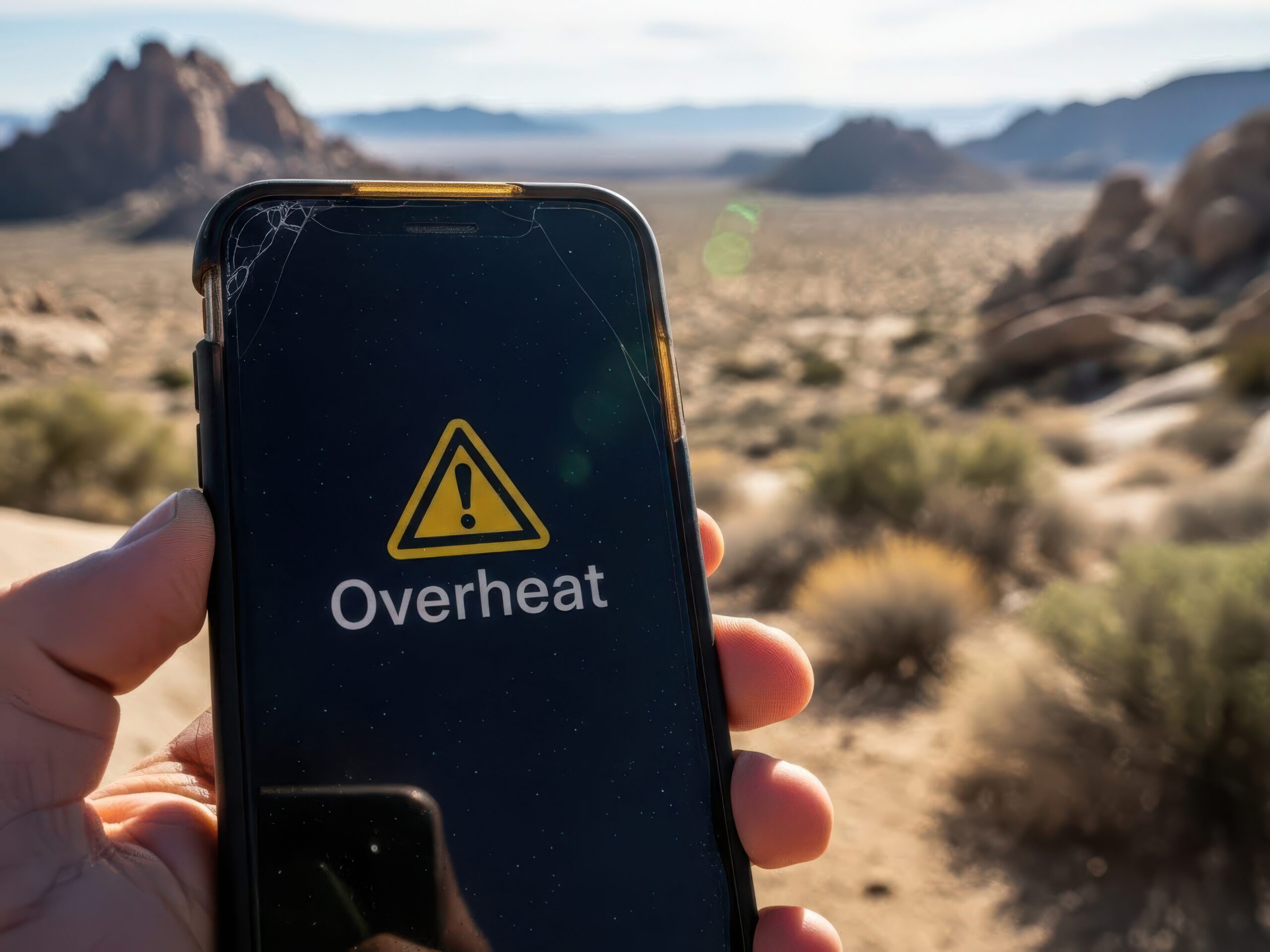
Phones overheat when they make heat faster than they can get rid of it. The most common causes are heavy apps like games, video, and navigation, charging while you use the phone, direct sunlight or a hot car, a weak signal, and an aging battery. To cool it down, stop what you are doing, unplug it, remove the case, and move it somewhere shaded and cool. Never put it in the fridge or freezer.
Almost everyone has picked up a phone and felt that it was warm, or even hot, to the touch. Maybe you were streaming a movie, using GPS on a road trip, playing a game, or charging and scrolling at the same time. Most of the time, that warmth is normal. Your phone packs a powerful processor, a battery, a bright display, and several wireless radios into a very small space, and all of them produce heat.
Sometimes, though, the heat goes beyond normal. It can slow your phone down, pause charging, shorten battery life, and in rare cases point to a battery that needs attention.
At Victra, the largest Verizon Authorized Retailer with nearly 1,500 locations across the United States, “Why does my phone get so hot?” is a question we hear often, especially in summer. This guide explains why phones heat up, how to cool yours down safely, what the warning messages mean, and when overheating is a sign of a bigger problem.
Key Takeaways
- A warm phone is usually normal during charging, gaming, video calls, navigation, setup, and software updates.
- iPhone and Samsung Galaxy phones are designed for ambient temperatures of 32° to 95°F (0° to 35°C). Apple warns that heat above 95°F can permanently reduce battery capacity.
- Your phone protects itself by dimming the screen, slowing or pausing charging, limiting performance, and shutting down if needed.
- Cool it gradually: stop heavy apps, unplug, remove the case, and move it to shade. Never use a fridge or freezer.
- Stop using your phone and get it checked if the battery swells, smells unusual, leaks, makes odd noises, or gets extremely hot.
In This Guide
- Is it normal?
- What to do right now
- 10 common reasons
- What your phone does
- Warning messages
- Hot while charging
- Hot after an update
- Hot near the camera
- Check temperature
- Prevent overheating
- Safety warning signs
- Myths vs. facts
- When to upgrade
- FAQs
- The bottom line
Is It Normal for a Phone to Get Hot?
Yes, some heat is completely normal. Every smartphone has parts that produce heat while they work: the processor (CPU) and graphics processor (GPU), the battery, the display, the 5G, Wi-Fi, Bluetooth, and GPS radios, and the charging circuitry. When these parts process data, connect to networks, or recharge the battery, some of that energy turns into heat.
Apple lists several situations where a warm iPhone is expected, including setting it up for the first time, restoring from a backup, installing a major software update, charging wirelessly, using the camera or graphics-heavy apps, and streaming high-quality video. Google and Samsung list similar activities, and Google adds one many people forget: using your phone as a Wi-Fi hotspot.
Apple puts it simply: if your device doesn’t display a temperature warning, you can keep using it.
Warm, Hot, or Dangerous?
Safe Temperature Ranges for Your Phone
Victra Tech Tip: It is normal for your phone to feel warm while it installs a major software update. The processor works harder than usual during the install and for a short time afterward. Once that work is done, temperatures should return to normal.
What to Do Right Now If Your Phone Is Overheating
If your phone feels hot or shows a temperature warning, follow these steps in order:
- Stop heavy activityClose games, the camera, video calls, streaming, and navigation if it is safe to do so.
- Unplug itDisconnect the charger or take it off the wireless charging pad.
- Remove the caseA thick or rugged case can hold heat in.
- Move it somewhere coolerGet it out of direct sun and out of a hot car. Shade or an air-conditioned room is ideal.
- Reduce the loadTurn on Airplane Mode, or power it off completely if it is very hot.
- Wait before using itLet it return to a comfortable temperature before you use or charge it again.
Cool it gradually
- Move it into the shade or a cool room
- Take off the case
- Let air flow around it on a hard surface
- Lock the screen for a few minutes
Shock it with cold
- Put it in the fridge or freezer
- Set it on ice or run cold water over it
- Wrap it in a towel or leave it in a bag
- Keep charging it while it is hot
Common mistake: Sudden temperature changes can cause condensation inside the phone and damage its internal parts. Always let it cool gradually at room temperature.
10 Common Reasons Your Phone Overheats
1. Direct Sunlight and Hot Cars
One of the most common causes of overheating has nothing to do with how you use your phone. It is the environment around it. A phone left on a car dashboard, beside a pool, on a beach towel, or on an outdoor table can heat up quickly, even when you are not using it.
Cars are especially risky. A Stanford study published in Pediatrics found that a parked car’s interior heats up by an average of 40°F within an hour, with about 80% of that rise in the first 30 minutes, even on cool days. Apple warns that temperatures in parked cars can exceed the iPhone’s safe storage range.
Using your phone for navigation in a sunny windshield mount adds even more heat. Apple specifically lists GPS navigation in a car in hot conditions or direct sunlight as an activity that can affect performance.
2. Heavy Apps: Gaming, Video, Camera, and Navigation
Some tasks make your phone’s processor and graphics chip work much harder than texting or browsing:
High-end mobile games
4K recording, editing, and live streaming
AI photo editing and augmented reality apps
Long GPS sessions and video calls
3. Charging While Using Your Phone
Charging creates heat on its own. When you stream, game, or make video calls while charging, your phone has to power demanding apps and refill the battery at the same time. That combination raises the temperature much faster than either activity alone.
4. Fast Charging and Wireless Charging
Fast charging is designed to be safe, but moving more power into the battery in less time naturally creates more heat. Wireless charging also tends to run warmer than a cable, and Apple lists it as a normal reason an iPhone feels warm. Heat gets worse if the phone is not lined up correctly on the pad or if something is in the way.
- Use manufacturer-approved or certified chargers and cables.
- Remove metal or magnetic items, like cards or rings, between the phone and the wireless charger, as Samsung recommends.
- Charge on a hard, flat surface, never on a bed, couch, or pillow.
5. Weak Signal and 5G
When your signal is weak, your phone boosts power to its cellular radio to stay connected. That extra effort uses more energy and creates more heat, which is why a phone with one bar can feel warmer than one with full coverage. You may notice this in rural areas, in large concrete or steel buildings, in parking garages, or while traveling through mountains.
Heat can also affect your connection. Apple says an iPhone’s cellular signal may weaken when it gets too hot, and Google says a hot Pixel may partially or fully turn off mobile data or Wi-Fi, including 5G.
6. Using Your Phone as a Hotspot
When you share your connection, your phone keeps its cellular and Wi-Fi radios busy at the same time and often moves large amounts of data. Google lists tethering and hotspot use as a common reason a phone gets warm, and it gets even warmer if the phone is charging, sitting in the sun, or tucked into a bag.
7. Background Apps and Big Uploads
Even when your phone is sitting on a table, apps may be working behind the scenes: cloud photo and video backups, app updates and large downloads, email and social media syncing, location services, and fitness or smart home apps. Each task uses a little power, but together they add up to extra heat and faster battery drain. Location is a common one; learn how your phone knows your location.
Victra Tech Tip: If your phone feels warm while you are not using it, a large photo backup or app update is often the reason. These tasks usually run when your phone is on Wi-Fi and charging, sometimes with no visible sign.
8. Thick or Insulated Cases
A good case is one of the best ways to protect your phone from drops, but some materials hold heat in. Apple says charging inside certain styles of cases may generate excess heat and recommends taking your iPhone out of its case if it gets hot while charging. Google recommends using only cases made for your specific phone.
This does not mean you should stop using a case. It means giving your phone a break from it when the phone is working hard, especially while charging, gaming, or navigating. If your case is worn out or does not fit well, browse new options in our accessories shop.
9. Software Bugs, Outdated Apps, and Malware
Software can cause heat too. An app stuck in a loop, a buggy update, or an outdated operating system can keep the processor busy for no good reason.
Malware can also hijack your phone’s processor and memory. It is more common on Android phones that install apps from outside official stores, but no phone is completely immune. Watch for sudden heat combined with pop-ups, unusual data use, or apps you do not recognize.
- Restart your phone (see how to restart an iPhone)
- Update your operating system and apps
- Delete apps you do not recognize
- Download apps only from the App Store or Google Play
For more ways to stay safe, read our tips to secure your smartphone.
10. An Aging or Damaged Battery
Lithium-ion batteries wear down over time. An older battery may hold less charge, need charging more often, and run warmer during charging or heavy use. A battery that has been dropped, punctured, or exposed to extreme heat can also be damaged.
If your phone is several years old and gets hot during everyday tasks, battery health may be part of the problem. Learn more about why your battery keeps dying, and see the safety section below for warning signs that mean you should stop using the phone.
What Your Phone Does When It Gets Too Hot
Modern phones have built-in protections that kick in automatically when they get too hot. Here is what Apple, Samsung, and Google say their phones may do:
| Protection | iPhone | Samsung Galaxy | Google Pixel |
|---|---|---|---|
| Slows or pauses charging | Yes, including wireless charging | Yes, charging may pause | Yes, reduces charging speed |
| Dims the screen | Yes, may dim or go black | Yes | Brightness may be reduced |
| Limits performance | Lower frame rates, slower processing | Device may slow down | Reduces CPU performance |
| Camera and flash | Flash or camera features may be disabled | Not specified | Turns off the flash, may turn off the camera |
| Wireless connections | Cellular signal may weaken | Not specified | May turn off mobile data or Wi-Fi, including 5G |
| Closes apps or saves power | Not specified | Closes apps automatically | Enters low power mode |
| Shuts down | May be temporarily disabled | Powers off to cool down | Turns off to keep you and the phone safe |
These changes are temporary. Once your phone cools down, performance and charging return to normal. If your phone keeps slowing down even when it is cool, see why your phone is so slow.
Overheating Warning Messages, Decoded
Here is what the most common heat alerts look like on each brand of phone (wording may vary by model and software version):
| Device | Message | What it means and what to do |
|---|---|---|
| iPhone | “Temperature: iPhone needs to cool down before you can use it.” | Your iPhone passed its temperature limit. Turn it off, move it somewhere cooler, and let it cool. Apple says it may still be able to make emergency calls. |
| iPhone (navigating) | “Temperature: iPhone needs to cool down.” | The screen turns off, but navigation keeps giving spoken turn-by-turn directions. The screen lights up as you approach each turn. |
| iPhone | “Charging On Hold” | Your iPhone is too hot or too cold to charge. Move it somewhere cooler and lock the screen. |
| iPhone | “Restore Paused” | A restore from iCloud paused to protect your device. It resumes automatically when the phone cools. |
| Samsung Galaxy | “Cooling down.” | Your phone is managing heat. Stop heavy apps and unplug if you can. |
| Samsung Galaxy | “Device overheating” | You can still use the phone, but the screen may dim, it may slow down, charging may pause, and apps may close until it cools. |
| Samsung Galaxy | “Your device is overheating. It will now power off to cool down.” | The phone is shutting down to prevent damage. Let it cool completely before turning it back on. |
| Google Pixel | Temperature warning, then low power mode | If the phone turns off, let it cool down, then restart it. If it keeps turning off, contact Pixel support. |
Why Does My Phone Get Hot While Charging?
A little warmth while charging is normal. Charging moves energy into the battery, and some of it becomes heat. Fast charging and wireless charging usually feel warmer than slow wired charging.
Charging becomes a problem when the phone gets too hot to hold comfortably or your iPhone shows Charging On Hold. Common reasons include using the phone heavily while it charges, charging in direct sunlight, charging under a pillow or blanket, using a damaged or low-quality cable, or leaving a thick case on.
Apple also notes that software may limit charging above 80% when the battery gets too warm. If your iPhone stops at 80% on a hot day, that is your phone protecting the battery, not a defect. If your phone will not charge at all, see our guide on why your phone is not charging.
Settings That Reduce Charging Heat and Battery Wear
Charge Limit
Choose 80% to 100% in 5% steps.
Settings > Battery > Charging
Optimized Battery Charging
Settings > Battery > Charging (on older iOS versions, Battery Health & Charging)
Protect battery
Options vary by model and software.
Settings > Battery > Battery protection
Charging optimization
Settings > Battery > Charging optimization
Bedtime tip: Never charge your phone under a pillow, on a blanket, or anywhere it cannot release heat. A nightstand or another hard, flat surface is a much safer choice.
Why Is My Phone Hot After an Update?
It is common for a phone to feel warmer for a day or two after a major update. Apple lists completing a software update, “particularly to a major release,” as a normal reason an iPhone gets warm. After the install, your phone may keep working in the background to reorganize data, rebuild search indexes, and update apps.
Many iPhone owners noticed this after iOS 27 arrived on September 14, 2026. Apple followed with iOS 27.0.1 on September 28.
- Day 0Update installs
Your phone restarts and begins finishing tasks in the background. Some warmth is normal.
- Days 1 to 2Background work
Leave it on Wi-Fi and plugged in overnight. Update your apps.
- Days 3 to 5Settling down
Temperatures should return to normal. Install follow-up updates, which often include bug fixes.
- After a weekStill hot?
Restart your phone, check which apps use the most battery, and work through the 10 causes above.
Our guide to why your phone is so slow also covers what to do after an update.
Why Does My Phone Get Hot Near the Camera?
Many people notice heat near the top of the phone or around the rear cameras. That is usually where the processor and camera modules sit, so it is where heat builds up first. Recording long videos, shooting in 4K, using the flash, video calls, and AR apps all make that area work especially hard.
This kind of heat is usually normal. If your phone turns off the flash or camera, that is a built-in protection. Pause recording, let the phone cool, and keep it out of direct sunlight while you shoot.
How to Check Your Phone’s Temperature and Battery Health
Temperature check
On recent Pixel phones: Settings > Battery > Battery diagnostics > Phone is very warm. Shows an estimated temperature and recommendations.
Battery Health
iPhone does not show a temperature reading. Watch for Charging On Hold or a warning. Check battery health in Settings > Battery > Battery Health.
Battery test
Open the Samsung Members app and run the battery test under Diagnostics.
Pixel’s temperature check shows one of four states:
If your battery health is low and your phone often runs hot, a battery replacement or an upgrade may be worth considering.
How to Prevent Your Phone From Overheating
These simple habits help keep your phone cooler and your battery healthier:
- Keep your phone out of direct sunlight and hot cars
- Take breaks during long gaming, video, or navigation sessions
- Avoid heavy use while charging
- Use certified chargers and cables, and replace damaged ones
- Charge on a hard, flat surface, never on bedding
- Remove thick cases while charging or doing demanding tasks
- Use Wi-Fi when your cellular signal is weak
- Turn off your hotspot, Bluetooth, and location services when you don’t need them
- Lower screen brightness or use auto-brightness
- Keep your software and apps updated
- Restart your phone regularly
- Check your battery health over time
From the Victra store floor: In summer, one of the most common overheating issues we see is a phone left on a dashboard or in a windshield mount in direct sun. Moving the mount closer to an air conditioning vent, or keeping the phone out of the sun, often solves the problem.
When Overheating Is a Safety Problem
Most overheating is temporary and harmless. However, a damaged lithium-ion battery can be dangerous.
Stop using your phone if you notice:
An unusual odor, a change in color, too much heat, a change in shape (such as swelling or a bulging screen or back), leaking, or odd noises like hissing or popping. These are the warning signs the U.S. Fire Administration lists for lithium-ion batteries.
If you notice any of these signs:
- Unplug it right awayStop using the phone and disconnect any charger.
- Move it to a safe spotKeep it away from anything flammable, like bedding, paper, or furniture.
- Don’t touch the batteryDo not charge it, press on it, or try to puncture or repair it yourself.
- Get professional helpContact the manufacturer or bring it to a professional for service.
You should also get your phone checked if it often displays overheating warnings, shuts down from heat, gets hot during simple tasks like texting, or stays hot even after you try to cool it down. Samsung advises contacting support if a device is still too warm to touch, and Google recommends contacting Pixel support if a phone keeps turning off.
Smartphone Overheating: Myths vs. Facts
MythA warm phone always means something is broken.
Fact: Warmth during charging, gaming, updates, or video calls is usually normal.
MythPutting a phone in the freezer cools it safely.
Fact: Rapid cooling can cause condensation and damage. Let it cool gradually at room temperature.
MythFast charging is dangerous.
Fact: Fast charging is designed to manage heat, and phones slow or pause charging when they get too warm.
MythLeaving a phone on the charger overnight makes it overheat.
Fact: Modern phones slow charging near full. Heat, not time on the charger, is what you need to watch.
MythClosing all your apps always fixes overheating.
Fact: It helps if an app is misbehaving, but heat often comes from several factors at once.
MythiPhones can’t get malware.
Fact: Malware is less common on iPhone, but no phone is completely immune.
MythEvery hot phone needs to be replaced.
Fact: Most overheating is temporary and related to use or the environment.
When It May Be Time to Upgrade
If your phone is several years old and keeps overheating even after you follow the steps in this guide, it may be reaching the limits of its hardware and battery. Signs include frequent heat warnings during everyday use, a battery that drains quickly and runs warm, and apps that slow down or crash.
Newer phones are built to handle heat better:
| Phone | Cooling feature |
|---|---|
| iPhone 17 Pro and iPhone 17 Pro Max | An Apple-designed vapor chamber, with deionized water sealed inside and laser-welded into the aluminum frame |
| iPhone 18 Pro and iPhone 18 Pro Max | A redesigned vapor chamber with new materials and three times more surface area than iPhone 17 Pro, for up to 40% better sustained performance |
| Samsung Galaxy S26 Ultra | Samsung’s largest vapor chamber, redesigned for 21% greater thermal performance than Galaxy S25 Ultra |
A vapor chamber spreads heat away from the processor so the phone can stay fast for longer before it needs to slow down. Newer phones also bring more efficient processors, better batteries, and longer software support.
Overheating alone does not always mean you need a new phone. But if it comes with an aging battery and slow performance, an upgrade may be worth it. Learn how phone upgrades work, see what your current phone is worth with a Verizon trade-in, and shop the latest phones at Victra.
Frequently Asked Questions
Why does my phone overheat so easily?
Phones usually overheat because of heavy apps, charging while in use, direct sunlight or a hot car, a weak signal, hotspot use, background activity, or an aging battery. Often, several of these happen at once, such as navigating in a sunny car while charging.
Is it bad if my phone gets hot?
Occasional warmth is normal and will not hurt your phone. Repeated exposure to high heat is different. Apple warns that ambient temperatures above 95°F can permanently damage battery capacity, so your battery will not last as long on a charge. Act if your phone is too hot to hold or shows a warning.
Why does my phone get hot while charging?
Charging naturally creates heat, and fast charging and wireless charging create more. Using your phone while it charges adds even more heat. If it gets too hot, your phone will slow or pause charging to protect the battery.
How do I cool down my phone fast?
Stop any heavy apps, unplug the charger, remove the case, and move the phone into the shade or a cool room. Turning on Airplane Mode or powering the phone off also helps. Avoid the fridge, freezer, and ice, because sudden temperature changes can cause condensation.
Can I put my phone in the fridge or freezer to cool it down?
No. Rapid cooling can create moisture inside the phone and damage its internal parts. The safest approach is to let your phone cool gradually at room temperature.
Why is my phone hot when I’m not using it?
Background tasks like photo backups, app updates, syncing, and location services can keep the processor busy even when the screen is off. A weak signal or a stuck app can also cause heat. Check the battery usage list in Settings to find the cause.
Why is my iPhone hot after the iOS 27 update?
Major updates often run background tasks for a day or two. Apple lists completing a major software update as a normal reason an iPhone feels warm. Keep it on Wi-Fi and plugged in overnight, update your apps, and install follow-up updates like iOS 27.0.1.
What does “iPhone needs to cool down” mean?
It means your iPhone has passed its temperature limit and has limited its features to protect itself. Turn it off, move it somewhere cooler and out of direct sunlight, and let it cool down. Apple says it may still be able to make emergency calls.
Can a weak signal or 5G make my phone hot?
Yes. When your signal is weak, your phone boosts power to its cellular radio to stay connected, which creates extra heat. Connecting to Wi-Fi can help. A hot Pixel may even turn off mobile data or 5G temporarily to cool down.
Can a phone case make my phone overheat?
Some cases trap heat, especially while charging or gaming. Apple suggests removing certain cases if your iPhone gets hot while charging, and Google recommends using cases made for your specific phone. You don’t need to stop using a case; just take it off when your phone is working hard.
Can an overheating phone catch fire or explode?
It is rare, and phones have several built-in protections. However, a damaged battery can be dangerous. Stop using your phone and get it checked if you notice swelling, an unusual smell, a change in color, leaking, odd noises, or extreme heat.
How hot is too hot for a phone?
Apple and Samsung design their phones for ambient temperatures between 32° and 95°F. As a practical rule, your phone is too hot if it is uncomfortable to hold, displays a temperature warning, pauses charging, or shuts down.
The Bottom Line
A warm phone is usually just a busy phone. Charging, gaming, navigation, and software updates all create heat, and your phone is built to handle it. When it gets too hot, it protects itself by dimming the screen, pausing charging, and slowing down until it cools.
You can prevent most overheating with a few simple habits: keep your phone out of the sun and hot cars, avoid heavy use while charging, remove thick cases when the phone is working hard, and keep your software up to date. If your phone overheats often, check its battery health. And if you ever notice swelling, a strange smell, or odd noises, stop using it right away and have it checked.
Need Help With a Phone That Runs Hot?
Visit a Victra store near you, and our Verizon experts will help you find the cause, protect your device, or choose a phone built to stay cool.
Find a Victra Store Shop Phones
is a skilled Web Developer and Designer. He builds and designs websites that focus on best UI/UX practices. Justin is also a Verizon Product Expert at Victra, helping customers with Verizon products and services. His mix of design, coding, product, and general knowledge makes him a valuable and knowledgeable team member.